
Your visuals.
Your rules.
Ultimate VJ.
Free VJ software with RenderWave built in. Mix clips, build layers, and create visuals on your Mac.
Apple Silicon · macOS 26+ · Venue test preview
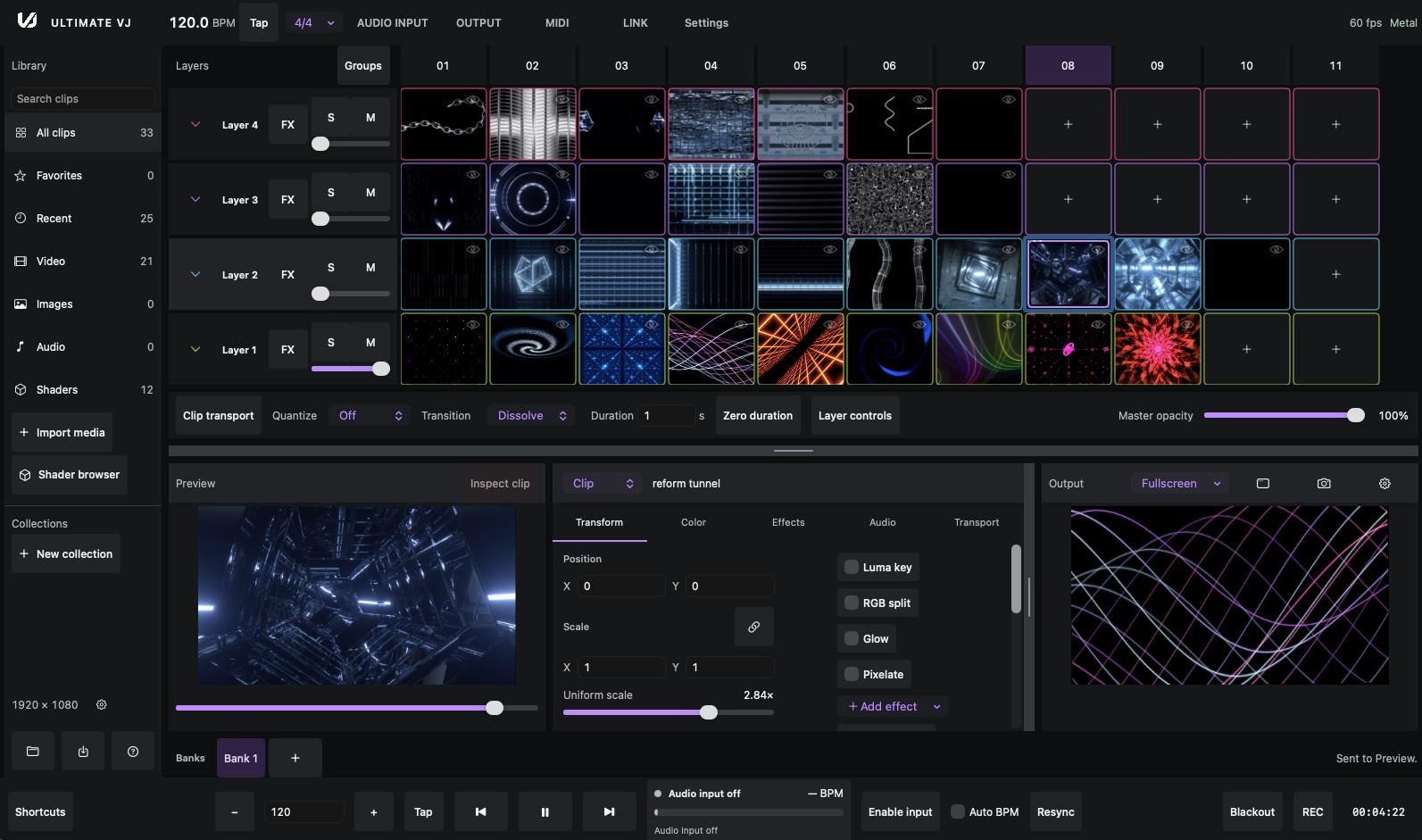
Start with a clip.
See where it goes.
A familiar clip matrix. Room to experiment. Learn the workflow in the development guides.
Build your set
Organize visuals into banks and layers. Trigger clips from the matrix.
Push the picture
Stack effects across clips, layers, and the master composition.
Find your rhythm
Explore tap tempo, quantization, and optional Ableton Link sync.
Put it on screen
Learn the windowed and fullscreen output workflow.
RenderWave.
Built right in.
Generate visuals with built-in RenderWave shaders.
Mix them with your clips. Shape and save your own looks.
From zero
to your first set.
New to Terminal? Start here. You don’t need Node.js, npm, or any coding experience to install Ultimate VJ.
Have Homebrew already? Jump to Install Ultimate VJ.
Download this guide as .mdBefore you start
Use an Apple Silicon Mac with macOS 26 Tahoe or later. The locally recorded release is a venue test preview. Test your setup before a show.
Open Terminal
Press ⌘ + Space, type Terminal, then press Return. This is where you’ll paste each command. Paste one box at a time, then press Return.
Check for Homebrew
Homebrew installs and updates Mac apps. Check whether you already have it:
brew --versionIf you see a version number, skip to step 4. If you see command not found, continue below.
Install Homebrew
This downloads and runs Homebrew’s installer. Read its prompts and press Return when asked.
/bin/bash -c "$(curl -fsSL https://raw.githubusercontent.com/Homebrew/install/HEAD/install.sh)"If it asks for your Mac login password, type it and press Return. No characters appear while you type a password. Let any requested Apple Command Line Tools installation finish.
At the end, run the commands under Homebrew’s Next steps. They help Terminal find Homebrew. Use the exact commands it prints for your account, then run brew --version again.
Install Ultimate VJ
The first line adds our software source. The second installs the app. Copy both lines and press Return.
brew tap weswalz/ultimatevj
brew install --cask weswalz/ultimatevj/ultimatevj
Wait for Homebrew to report a successful installation.
You’re in. Open Ultimate VJ.
Find ULTIMATEVJ in Finder → Applications, or use:
open -a ULTIMATEVJNeed help? Full installation guide & troubleshooting
A few things
you might ask.
All FAQs & Markdown downloads Is Ultimate VJ really free?
Yes. Ultimate VJ costs nothing and requires no account or licence key. Free distribution does not establish an open-source licence. Read the general FAQ.
Do I need Node.js or coding experience?
No. Homebrew installs the native Mac app. Follow the numbered instructions above; no Node.js, npm, or source build is required.
Which Macs can run it?
The documented binary package requires Apple Silicon and macOS 26 Tahoe or later. Intel Macs are not supported by the cask. Check the requirements.
Is this ready for a live show?
The public package retained in the local evidence is a venue test preview. Full playback soak and venue-output qualification are pending. Test the complete setup before relying on it in a show.
Is it compatible with Resolume?
Ultimate VJ is an independent application with a familiar clip-performance workflow. It is not a drop-in replacement for Resolume compositions or plug-ins. Read the limitations.
Is RenderWave included?
Yes. RenderWave is built into Ultimate VJ, with shader sources for generating visuals and a RenderWave effect in the effect stack. Shader availability depends on the installed catalog. Learn about RenderWave shaders.
Can I download the documentation?
Yes. Every guide has a .md download, and the complete library is available as a Markdown ZIP. The guides describe the development app, so the installed preview may differ.